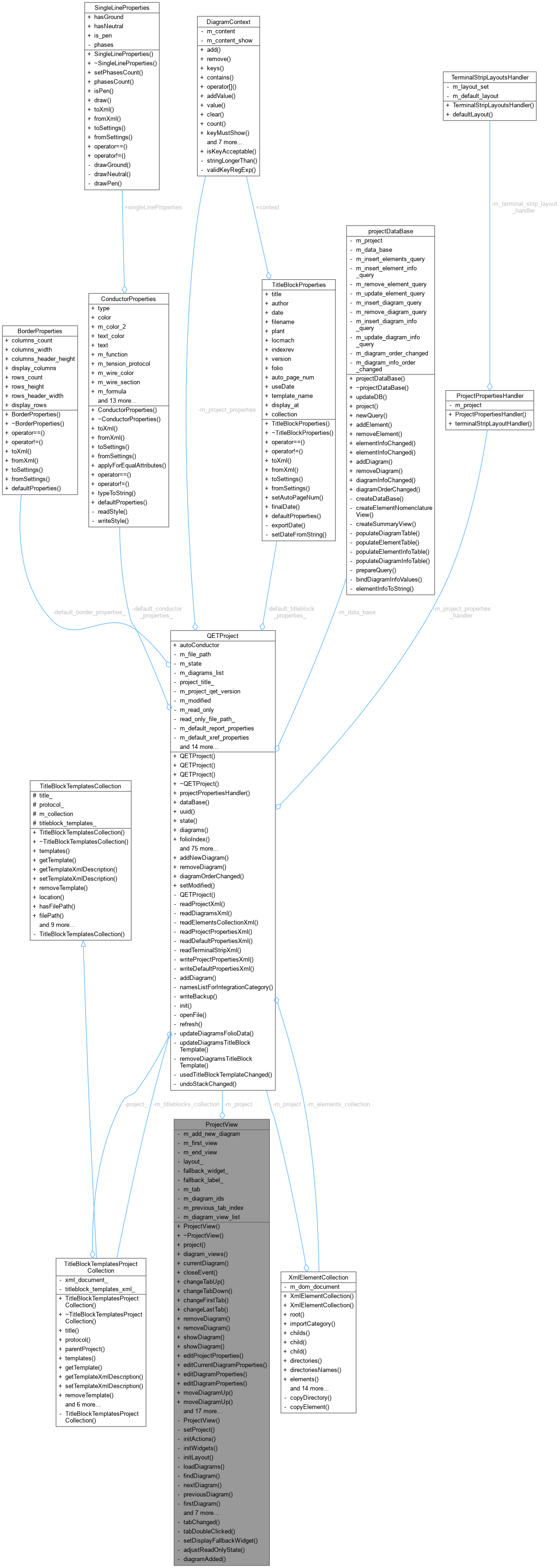
The ProjectView class This class provides a widget displaying the diagrams of a particular project using tabs.
More...
#include <projectview.h>
Inherits QWidget.
The ProjectView class This class provides a widget displaying the diagrams of a particular project using tabs.
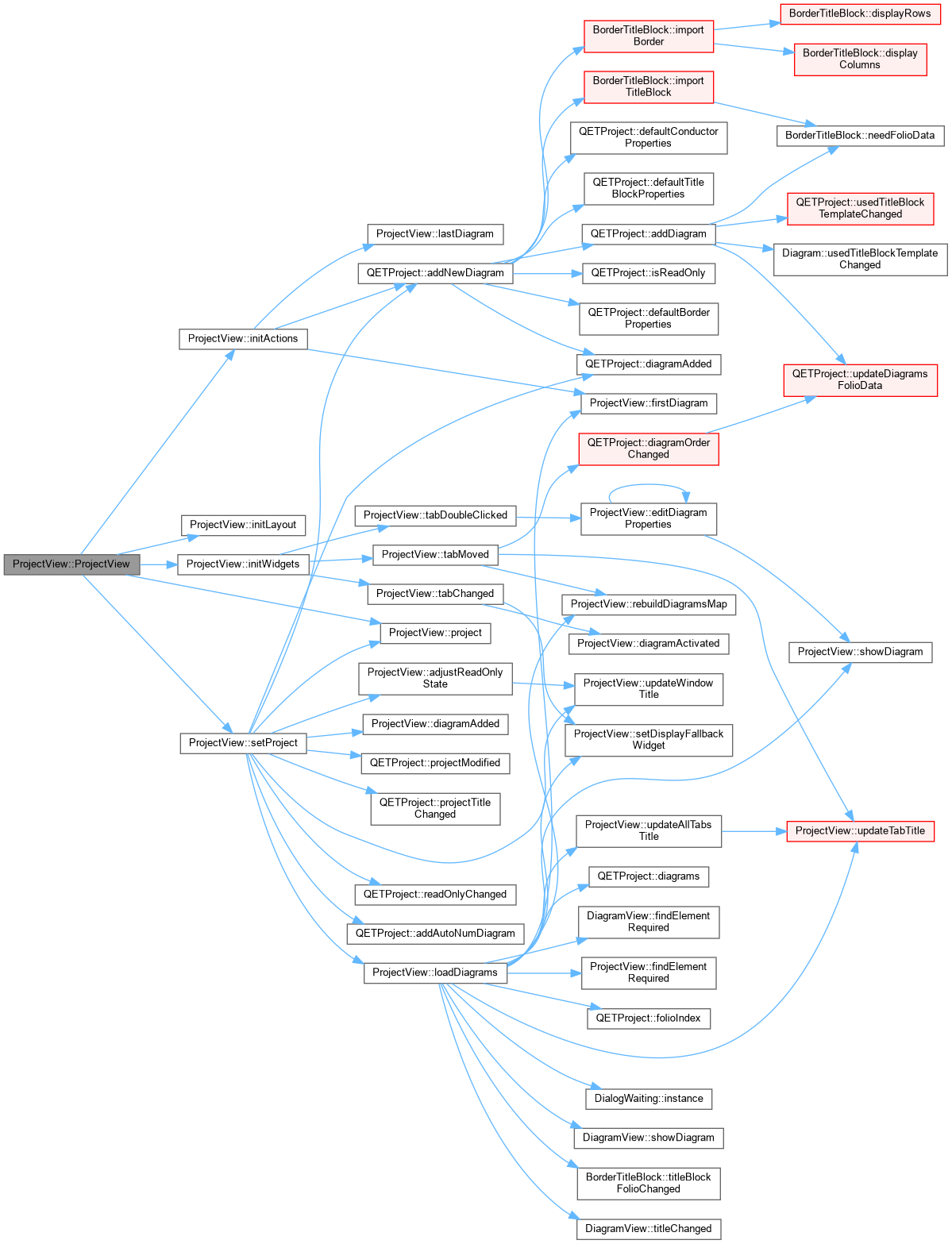
◆ ProjectView() [1/2]
| ProjectView::ProjectView |
( |
QETProject * | project, |
|
|
QWidget * | parent = nullptr ) |
Constructeur
- Parameters
-
| project | projet a visualiser |
| parent | Widget parent |
◆ ~ProjectView()
| ProjectView::~ProjectView |
( |
| ) |
|
|
override |
◆ ProjectView() [2/2]
◆ adjustReadOnlyState
| void ProjectView::adjustReadOnlyState |
( |
| ) |
|
|
privateslot |
Effectue les actions necessaires lorsque le projet visualise entre ou sort du mode lecture seule.
◆ askUserForFilePath()
| QString ProjectView::askUserForFilePath |
( |
bool | assign = true | ) |
|
|
private |
Ask the user to provide a file path in which the currently edited project will be saved.
- Parameters
-
| assign | When true, assign the provided filepath to the project through setFilePath(). Defaults to true. |
- Returns
- the file path, or an empty string if none were provided
◆ changeFirstTab()
| void ProjectView::changeFirstTab |
( |
| ) |
|
change current diagramview to first tab
◆ changeLastTab()
| void ProjectView::changeLastTab |
( |
| ) |
|
change current diagramview to last tab
◆ changeTabDown()
| void ProjectView::changeTabDown |
( |
| ) |
|
change current diagramview to next folio
◆ changeTabUp()
| void ProjectView::changeTabUp |
( |
| ) |
|
change current diagramview to previous tab
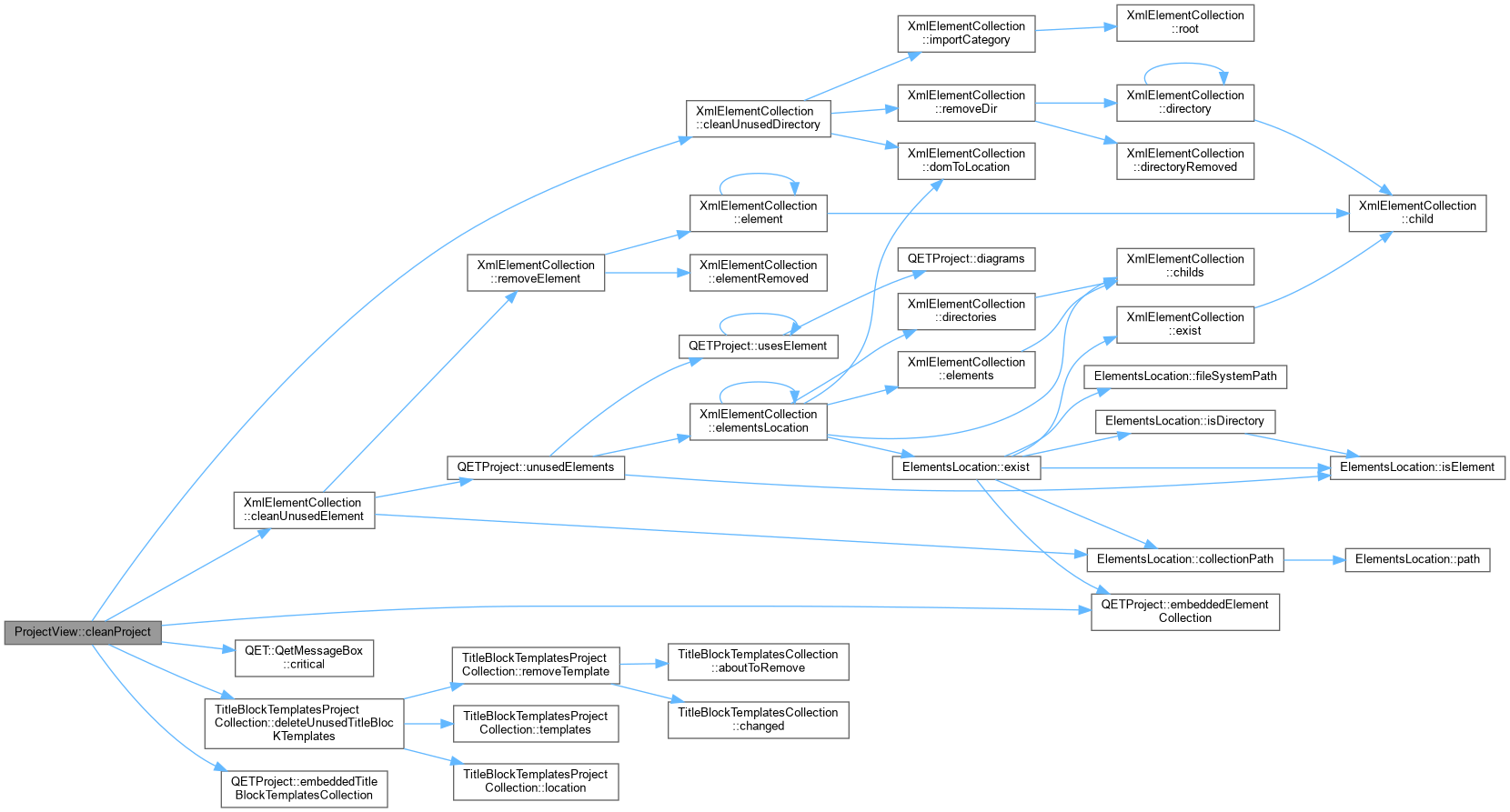
◆ cleanProject
| int ProjectView::cleanProject |
( |
| ) |
|
|
slot |
Allow the user to clean the project, which includes: deleting unused title block templates deleting unused elements deleting empty categories
- Returns
- an integer value above zero if elements and/or categories were cleaned.
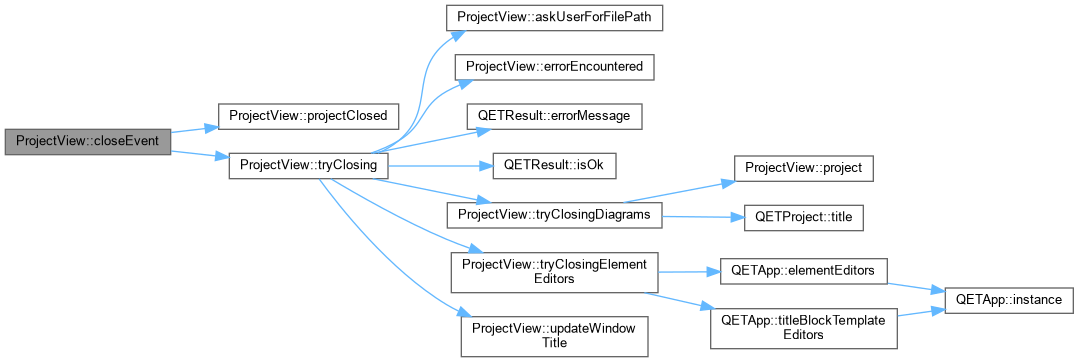
◆ closeEvent()
| void ProjectView::closeEvent |
( |
QCloseEvent * | qce | ) |
|
|
override |
Gere la fermeture du schema.
- Parameters
-
| qce | Le QCloseEvent decrivant l'evenement |
◆ currentDiagram()
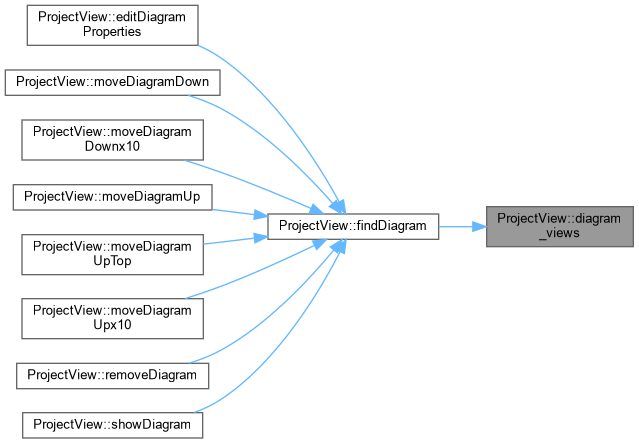
◆ diagram_views()
| QList< DiagramView * > ProjectView::diagram_views |
( |
| ) |
const |
- Returns
- la liste des schemas ouverts dans le projet
◆ diagramActivated
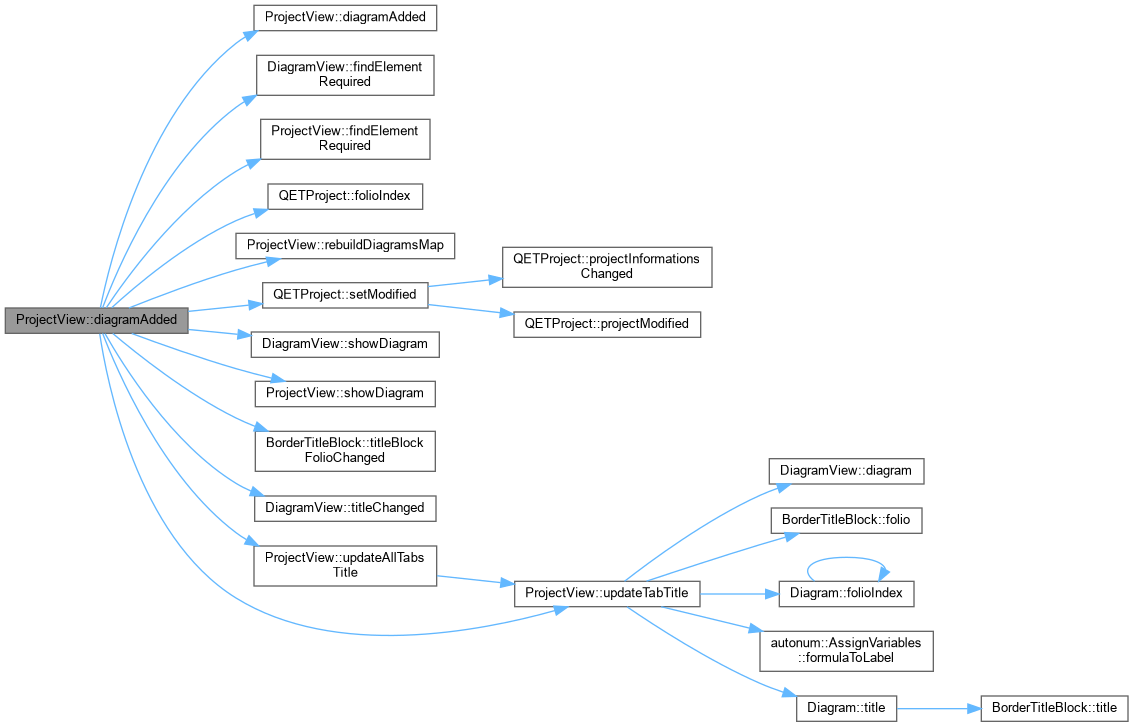
◆ diagramAdded [1/2]
| void ProjectView::diagramAdded |
( |
Diagram * | diagram | ) |
|
|
privateslot |
◆ diagramAdded [2/2]
◆ diagramRemoved [1/2]
| void ProjectView::diagramRemoved |
( |
Diagram * | diagram | ) |
|
|
privateslot |
◆ diagramRemoved [2/2]
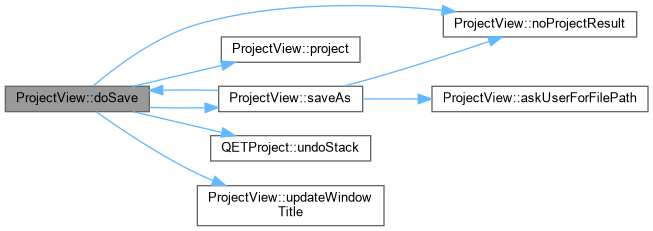
◆ doSave
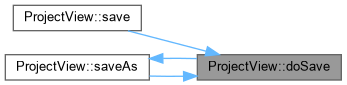
Save project content, then write the project file. May call saveAs if no filepath was provided before.
- Returns
- a QETResult object reflecting the situation; note that a valid QETResult object is returned if the operation was cancelled.
◆ editCurrentDiagramProperties
| void ProjectView::editCurrentDiagramProperties |
( |
| ) |
|
|
slot |
Edite les proprietes du schema courant
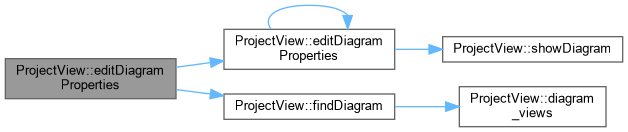
◆ editDiagramProperties [1/2]
| void ProjectView::editDiagramProperties |
( |
Diagram * | diagram | ) |
|
|
slot |
Edite les proprietes du schema diagram
◆ editDiagramProperties [2/2]
| void ProjectView::editDiagramProperties |
( |
DiagramView * | diagram_view | ) |
|
|
slot |
Edite les proprietes du schema diagram_view
◆ editProjectProperties
| void ProjectView::editProjectProperties |
( |
| ) |
|
|
slot |
Enable the user to edit properties of the current project through a configuration dialog.
◆ errorEncountered
| void ProjectView::errorEncountered |
( |
const QString & | | ) |
|
|
signal |
◆ exportProject
| void ProjectView::exportProject |
( |
| ) |
|
|
slot |
◆ findDiagram()
- Parameters
-
- Returns
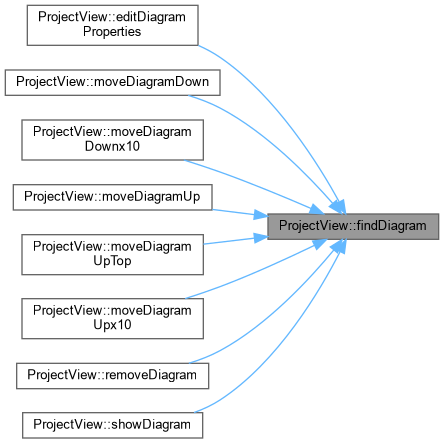
- le DiagramView correspondant au schema passe en parametre, ou 0 si le schema n'est pas trouve
◆ findElementRequired
◆ firstDiagram()
- Returns
- first folio of current project, or nullptr if the project has no diagram.
◆ initActions()
| void ProjectView::initActions |
( |
| ) |
|
|
private |
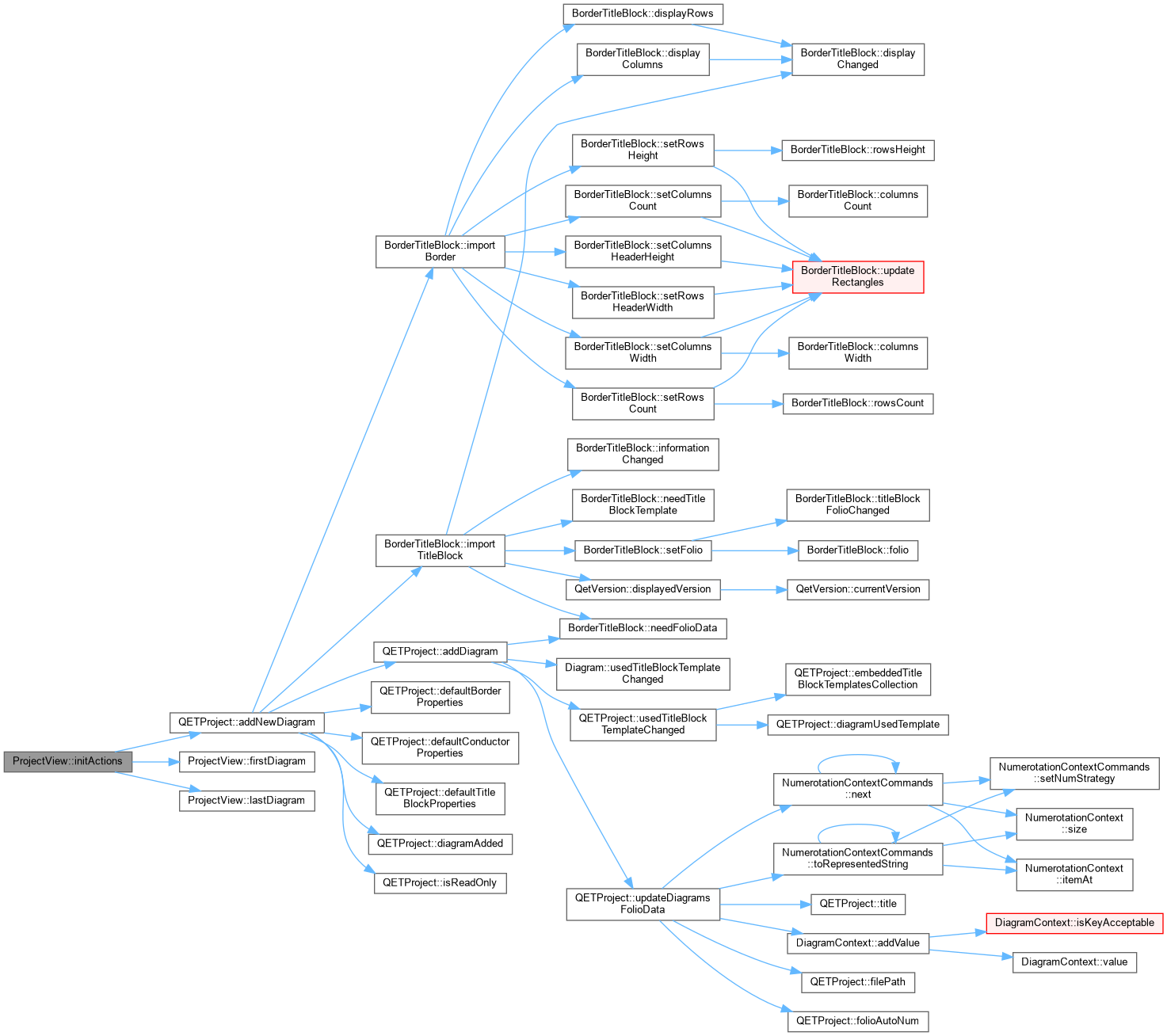
Initialize actions for this widget.
◆ initLayout()
| void ProjectView::initLayout |
( |
| ) |
|
|
private |
Initialize layout for this widget.
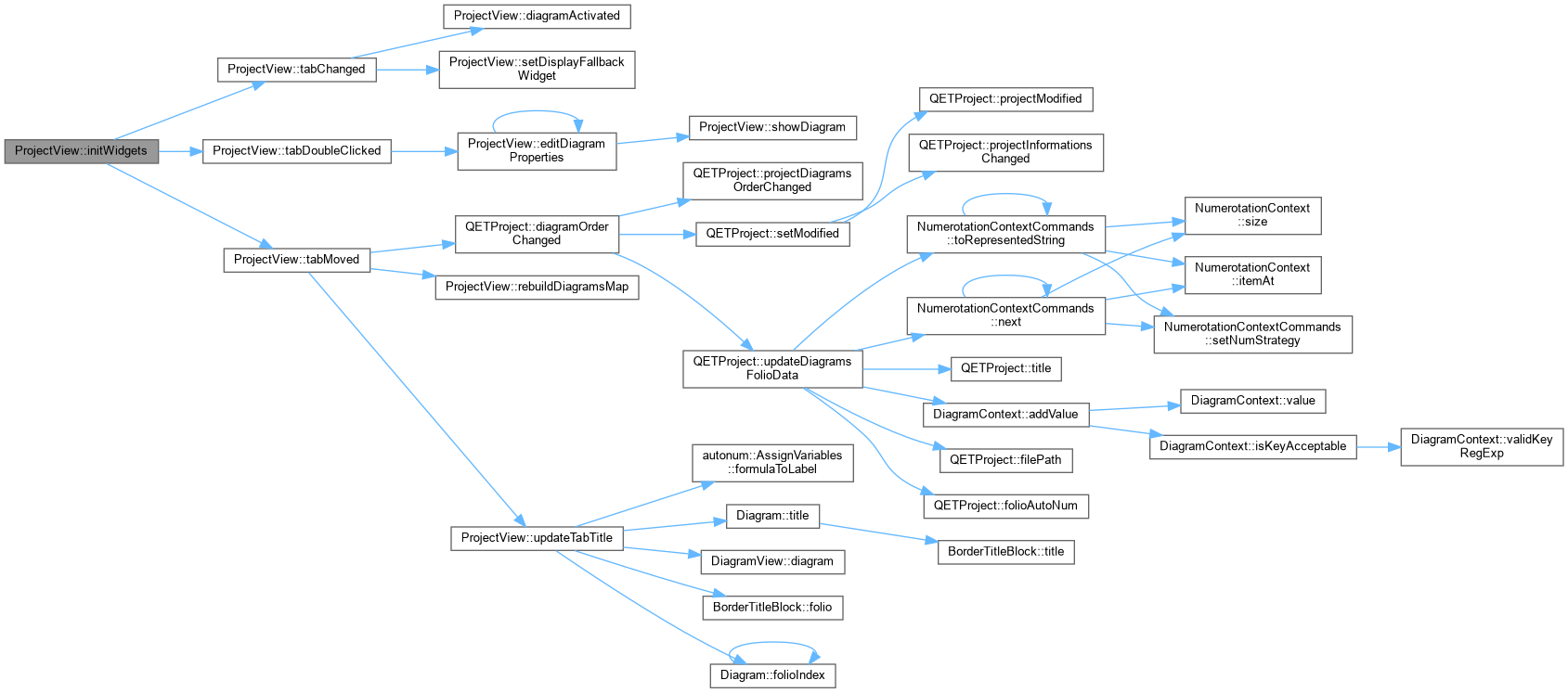
◆ initWidgets()
| void ProjectView::initWidgets |
( |
| ) |
|
|
private |
Initialize child widgets for this widget.
◆ lastDiagram()
- Returns
- last folio of current project
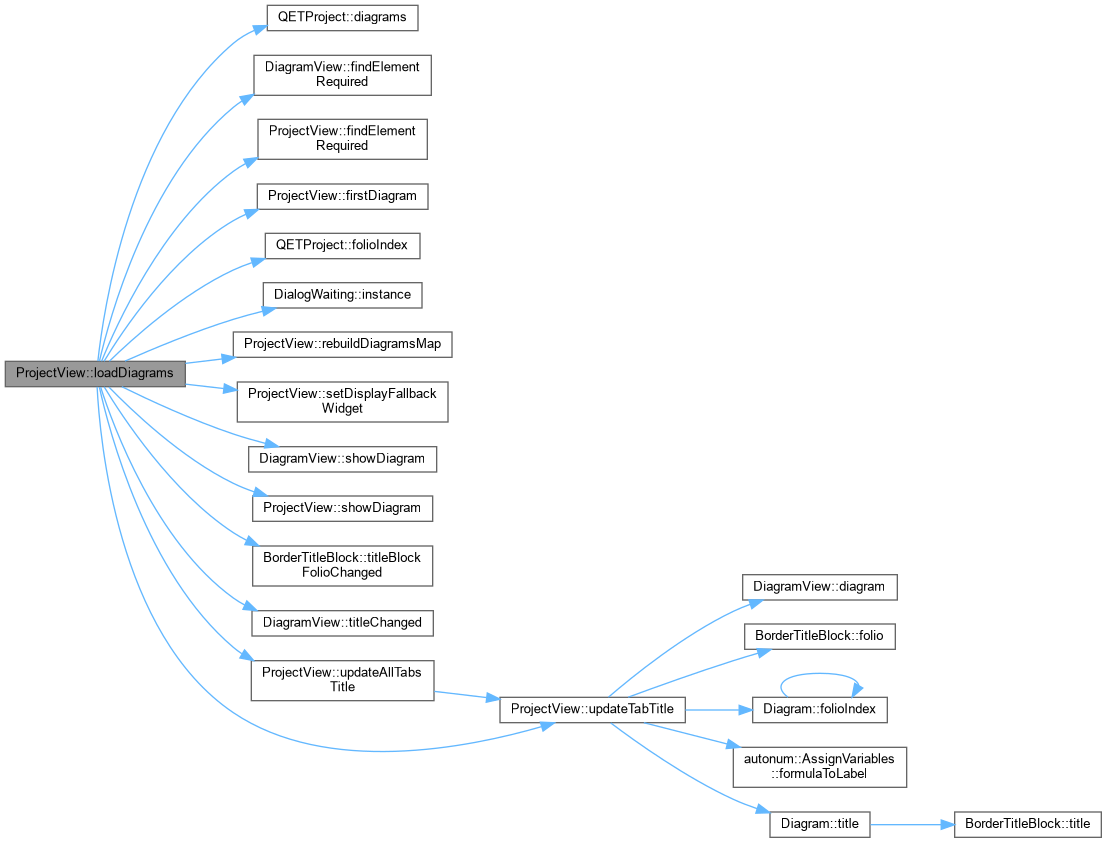
◆ loadDiagrams()
| void ProjectView::loadDiagrams |
( |
| ) |
|
|
private |
ProjectView::loadDiagrams Load diagrams of project. We create a diagram view for each diagram, and add it to the project view.
◆ moveDiagramDown [1/2]
| void ProjectView::moveDiagramDown |
( |
Diagram * | diagram | ) |
|
|
slot |
Deplace le schema diagram vers le bas / la droite
◆ moveDiagramDown [2/2]
| void ProjectView::moveDiagramDown |
( |
DiagramView * | diagram_view | ) |
|
|
slot |
Deplace le schema diagram_view vers le bas / la droite
◆ moveDiagramDownx10 [1/2]
| void ProjectView::moveDiagramDownx10 |
( |
Diagram * | diagram | ) |
|
|
slot |
Deplace le schema diagram vers le bas / la droite x10
◆ moveDiagramDownx10 [2/2]
| void ProjectView::moveDiagramDownx10 |
( |
DiagramView * | diagram_view | ) |
|
|
slot |
Deplace le schema diagram_view vers le bas / la droite x10
◆ moveDiagramDownx100 [1/2]
| void ProjectView::moveDiagramDownx100 |
( |
Diagram * | diagram | ) |
|
|
slot |
◆ moveDiagramDownx100 [2/2]
| void ProjectView::moveDiagramDownx100 |
( |
DiagramView * | diagram_view | ) |
|
|
slot |
◆ moveDiagramUp [1/2]
| void ProjectView::moveDiagramUp |
( |
Diagram * | diagram | ) |
|
|
slot |
Deplace le schema diagram vers le haut / la gauche
◆ moveDiagramUp [2/2]
| void ProjectView::moveDiagramUp |
( |
DiagramView * | diagram_view | ) |
|
|
slot |
Deplace le schema diagram_view vers le haut / la gauche
◆ moveDiagramUpTop [1/2]
| void ProjectView::moveDiagramUpTop |
( |
Diagram * | diagram | ) |
|
|
slot |
◆ moveDiagramUpTop [2/2]
| void ProjectView::moveDiagramUpTop |
( |
DiagramView * | diagram_view | ) |
|
|
slot |
◆ moveDiagramUpx10 [1/2]
| void ProjectView::moveDiagramUpx10 |
( |
Diagram * | diagram | ) |
|
|
slot |
Deplace le schema diagram vers le haut / la gauche x10
◆ moveDiagramUpx10 [2/2]
| void ProjectView::moveDiagramUpx10 |
( |
DiagramView * | diagram_view | ) |
|
|
slot |
Deplace le schema diagram_view vers le haut / la gauche x10
◆ moveDiagramUpx100 [1/2]
| void ProjectView::moveDiagramUpx100 |
( |
Diagram * | diagram | ) |
|
|
slot |
◆ moveDiagramUpx100 [2/2]
| void ProjectView::moveDiagramUpx100 |
( |
DiagramView * | diagram_view | ) |
|
|
slot |
◆ nextDiagram()
- Returns
- next folio of current diagramview
◆ noProjectResult()
| QETResult ProjectView::noProjectResult |
( |
| ) |
const |
|
private |
- Returns
- the QETResult object to be returned when it appears this project view is not associated to any project.
◆ previousDiagram()
- Returns
- previous folio of current diagramview
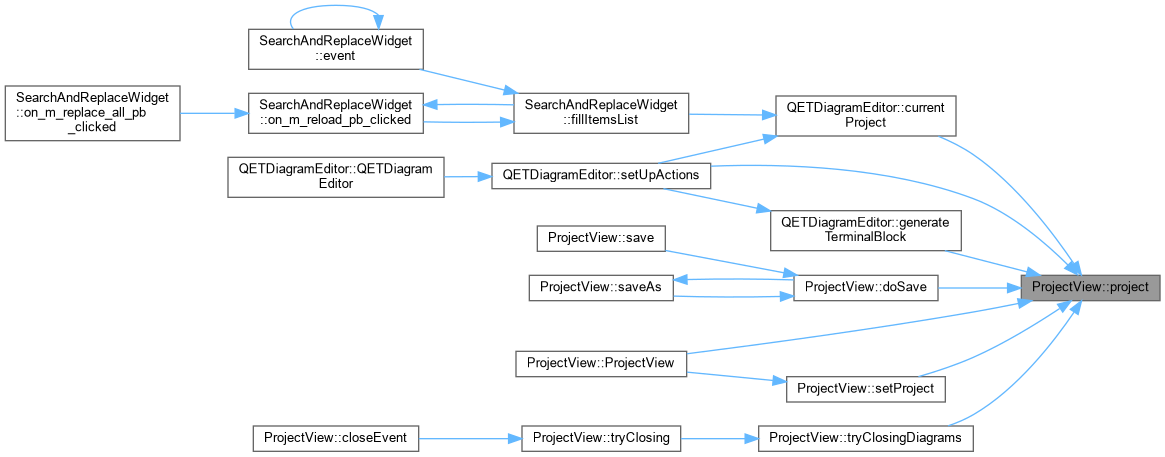
◆ project()
- Returns
- le projet actuellement visualise par le ProjectView
◆ projectClosed
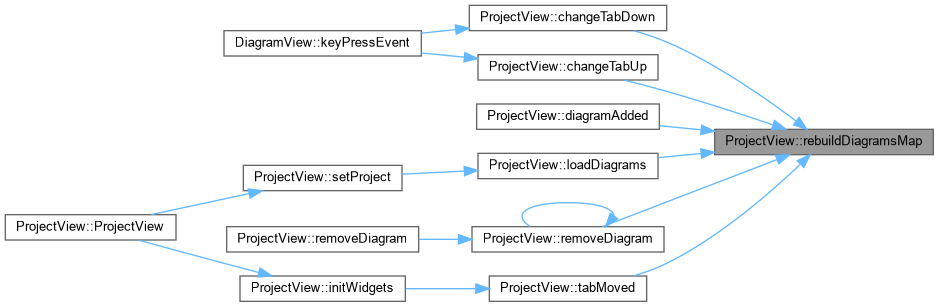
◆ rebuildDiagramsMap()
| void ProjectView::rebuildDiagramsMap |
( |
| ) |
|
|
private |
Reconstruit la map associant les index des onglets avec les DiagramView
◆ removeDiagram [1/2]
| void ProjectView::removeDiagram |
( |
Diagram * | diagram, |
|
|
bool | silent = false ) |
|
slot |
Enleve un schema du ProjectView
- Parameters
-
| diagram | Schema a enlever |
| silent | Si vrai, supprime sans demander confirmation |
◆ removeDiagram [2/2]
| void ProjectView::removeDiagram |
( |
DiagramView * | diagram_view, |
|
|
bool | silent = false ) |
|
slot |
ProjectView::removeDiagram Remove a diagram (folio) of the project.
- Parameters
-
| diagram_view | : diagram view to remove |
| silent | : if true, bypasses the confirmation message box |
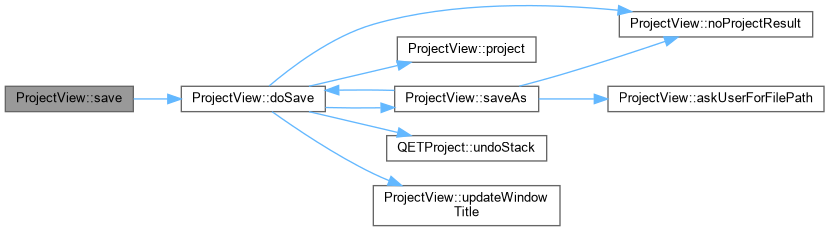
◆ save
Save project properties along with all modified diagrams.
- See also
- filePath()
-
setFilePath()
- Returns
- a QETResult object reflecting the situation
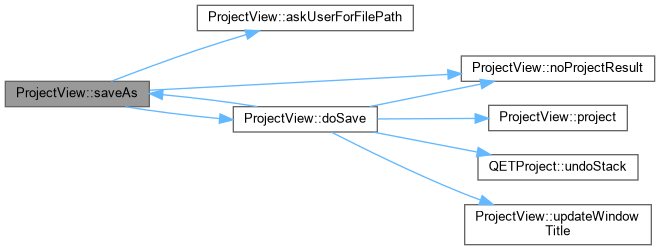
◆ saveAs
Ask users for a filepath in order to save the project.
- Parameters
-
| options | May be used to specify what should be saved; defaults to all modified diagrams. |
- Returns
- a QETResult object reflecting the situation; note that a valid QETResult object is returned if the operation was cancelled.
◆ setDiagramPosition()
| void ProjectView::setDiagramPosition |
( |
Diagram * | diagram, |
|
|
int | new_position ) |
ProjectView::setDiagramPosition Move diagram's tab to new_position (out-of-range values are clamped by the underlying tab bar, same as a direct QTabBar::moveTab() call). Used by MoveDiagramCommand for both redo and undo.
tabMoved() – the slot that normally keeps the project's diagram list in sync with the tab bar – is connected with Qt::QueuedConnection (needed so interactive drag-and-drop reordering settles before the model updates). That queued call would run a second, redundant diagramOrderChanged() after this method already performed it synchronously, so that one connection is temporarily dropped around the move (blocking all of the tab bar's signals instead would also suppress QTabWidget's own internal tabMoved connection, which is what keeps its page stack in the same order as the tab bar – breaking the move visually).
- Parameters
-
◆ setDisplayFallbackWidget
| void ProjectView::setDisplayFallbackWidget |
( |
bool | fallback | ) |
|
|
privateslot |
- Parameters
-
| fallback | true pour afficher le widget de fallback, false pour afficher les onglets. Le widget de Fallback est le widget affiche lorsque le projet ne comporte aucun schema. |
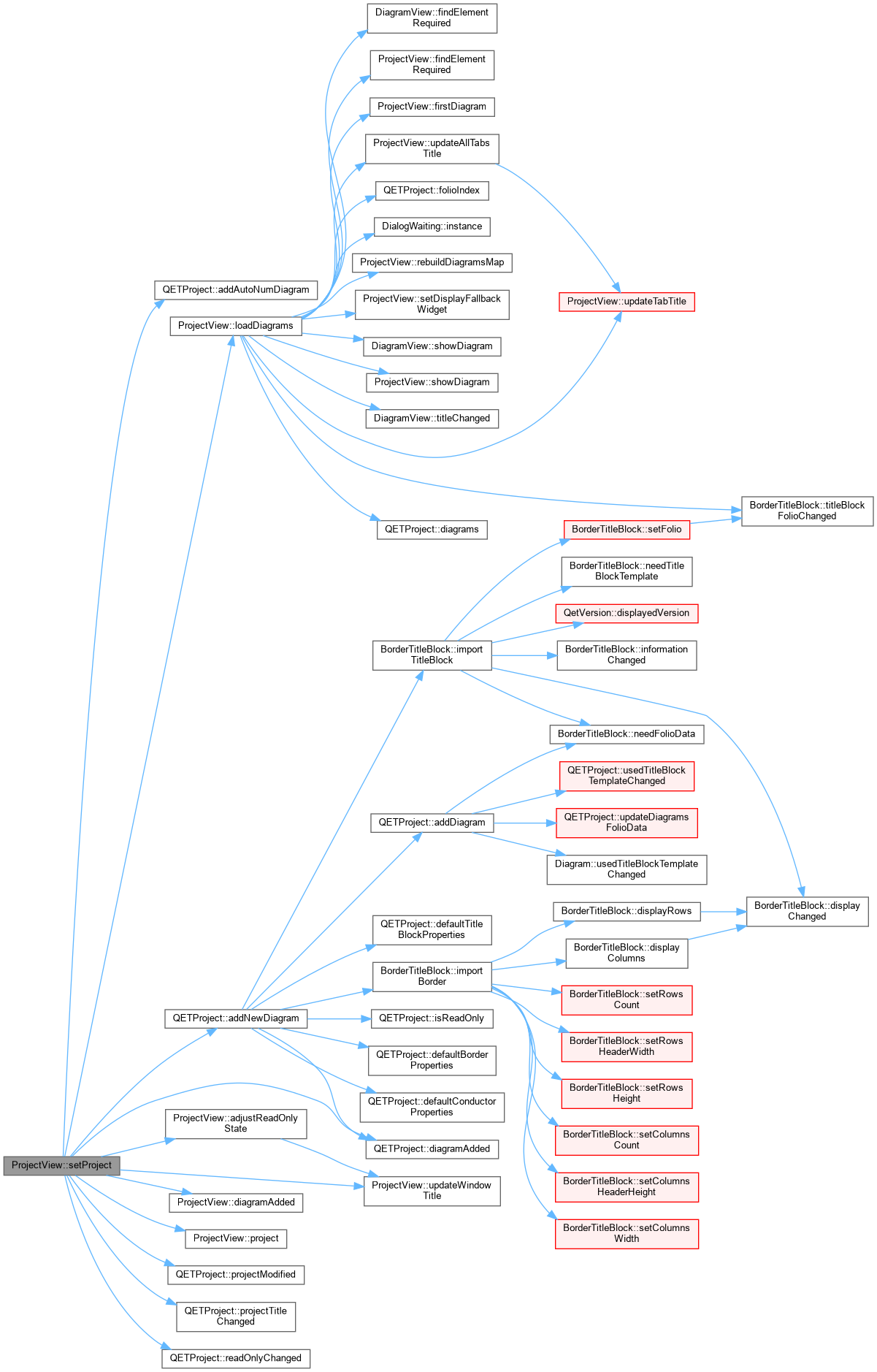
◆ setProject()
| void ProjectView::setProject |
( |
QETProject * | project | ) |
|
|
private |
◆ showDiagram [1/2]
| void ProjectView::showDiagram |
( |
Diagram * | diagram | ) |
|
|
slot |
Active l'onglet adequat pour afficher le schema passe en parametre
- Parameters
-
◆ showDiagram [2/2]
Active l'onglet adequat pour afficher le schema passe en parametre
- Parameters
-
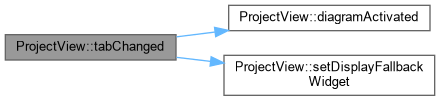
◆ tabChanged
| void ProjectView::tabChanged |
( |
int | tab_id | ) |
|
|
privateslot |
ProjectView::tabChanged Manage the tab change. If tab_id == -1 (there is no diagram opened), we display the fallback widget.
- Parameters
-
◆ tabDoubleClicked
| void ProjectView::tabDoubleClicked |
( |
int | tab_id | ) |
|
|
privateslot |
Gere le double-clic sur un onglet : edite les proprietes du schema
- Parameters
-
| tab_id | Index de l'onglet concerne |
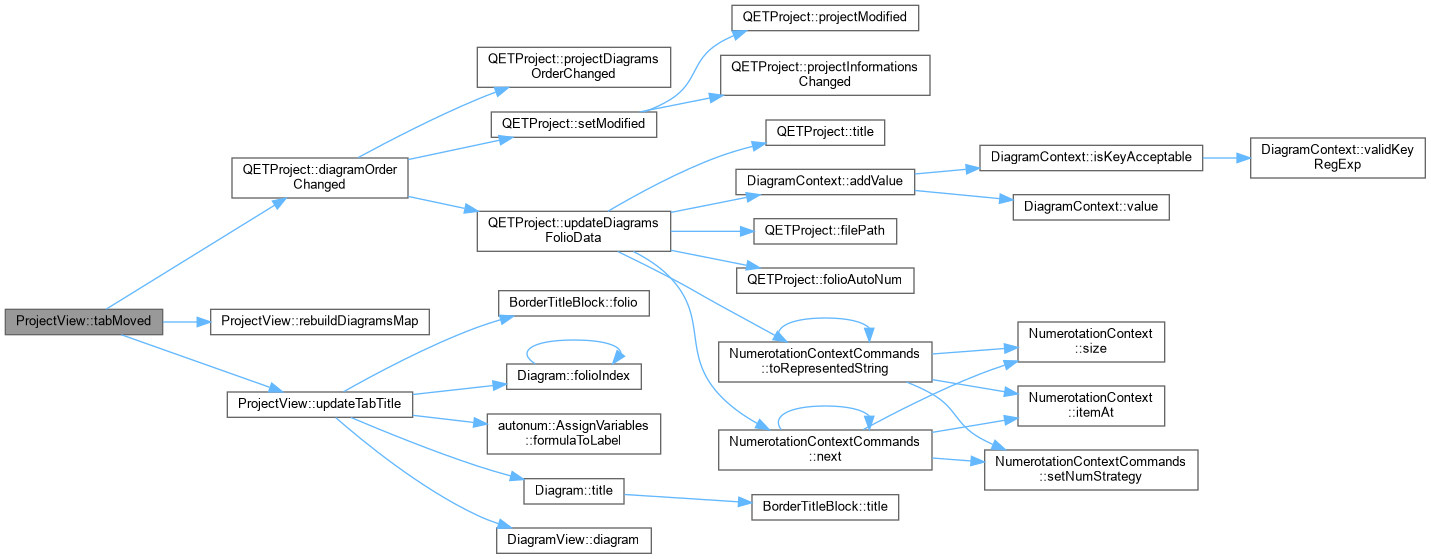
◆ tabMoved
| void ProjectView::tabMoved |
( |
int | from, |
|
|
int | to ) |
|
slot |
- Parameters
-
| from | Index de l'onglet avant le deplacement |
| to | Index de l'onglet apres le deplacement |
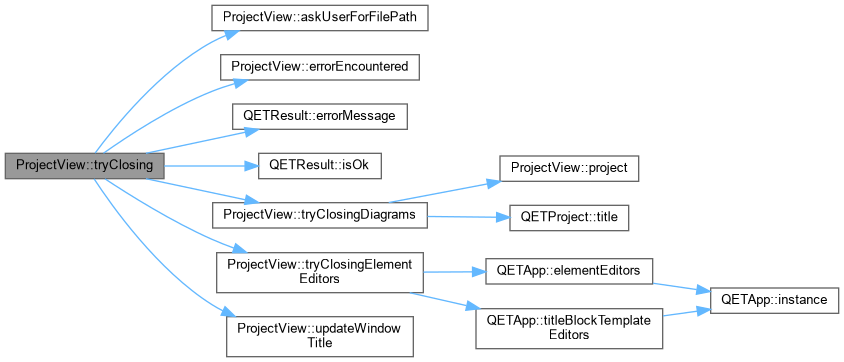
◆ tryClosing()
| bool ProjectView::tryClosing |
( |
| ) |
|
|
private |
Cette methode essaye de fermer successivement les editeurs d'element puis les schemas du projet. L'utilisateur peut refuser de fermer un schema ou un editeur.
- Returns
- true si tout a pu etre ferme, false sinon
- See also
- tryClosingElementEditors()
-
tryClosingDiagrams()
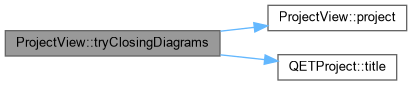
◆ tryClosingDiagrams()
| int ProjectView::tryClosingDiagrams |
( |
| ) |
|
|
private |
ProjectView::tryClosingDiagrams try to close this project, if diagram or project option are changed a dialog ask if user want to save the modification.
- Returns
- the answer of dialog or discard if no change.
◆ tryClosingElementEditors()
| bool ProjectView::tryClosingElementEditors |
( |
| ) |
|
|
private |
Un projet comporte des elements integres. Cette methode ferme les editeurs d'elements associes a ce projet. L'utilisateur peut refuser la fermeture d'un editeur d'element.
- Returns
- true si tous les editeurs d'element ont pu etre fermes, false sinon
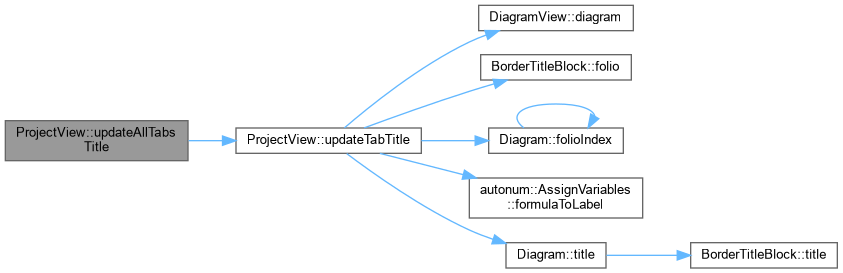
◆ updateAllTabsTitle
| void ProjectView::updateAllTabsTitle |
( |
| ) |
|
|
slot |
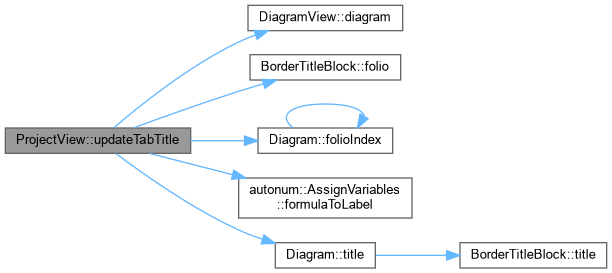
◆ updateTabTitle
| void ProjectView::updateTabTitle |
( |
DiagramView * | diagram_view | ) |
|
|
slot |
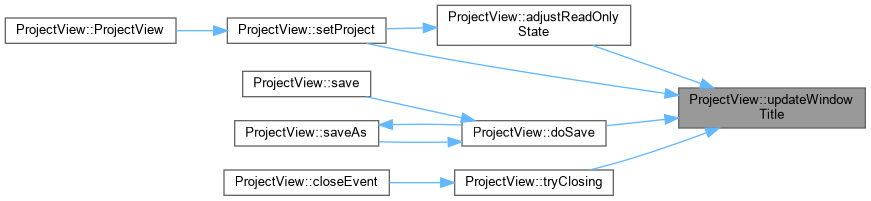
◆ updateWindowTitle
| void ProjectView::updateWindowTitle |
( |
| ) |
|
|
slot |
◆ fallback_label_
| QLabel* ProjectView::fallback_label_ |
|
private |
◆ fallback_widget_
| QWidget* ProjectView::fallback_widget_ |
|
private |
◆ layout_
| QVBoxLayout* ProjectView::layout_ |
|
private |
◆ m_add_new_diagram
| QAction* ProjectView::m_add_new_diagram |
|
private |
◆ m_diagram_ids
◆ m_diagram_view_list
◆ m_end_view
| QAction * ProjectView::m_end_view |
|
private |
◆ m_first_view
| QAction * ProjectView::m_first_view |
|
private |
◆ m_next_view_left
| QAction * ProjectView::m_next_view_left |
|
private |
◆ m_next_view_right
| QAction * ProjectView::m_next_view_right |
|
private |
◆ m_previous_tab_index
| int ProjectView::m_previous_tab_index = -1 |
|
private |
◆ m_project
◆ m_tab
| QTabWidget* ProjectView::m_tab |
|
private |
The documentation for this class was generated from the following files:









































































 1.15.0